要求
Xcode 7 swift2.0
iPhone
背景
HealthKit是iOS 8中加入的新东西(iOS9.3中加入了HealthKitUI 框架),通过HealthKit框架就可以方便地获取和添加运动,营养,身理数据
流程
往HealthKit中添加数据

Let's Code
在Capabilities中打开Healthkit
创建一个
HealthManger类导入HealthKit并且创建一个
HKHealthStore实例import Foundation import HealthKit class HealthManger { let healthKitStore :HKHealthStore = HKHealthStore() }获得授权
1 设置需要读取的类型,这里我们实际上并不需要读什么,完全可以设为nillet healthKitTypesToRead = Set(arrayLiteral: HKObjectType.workoutType())2 设置需要写入的类型 ,我们要写入步数需要的是
HKQuantityTypeIdentifierStepCount,let healthKitTypesToWrite = Set(arrayLiteral:HKObjectType.quantityTypeForIdentifier(HKQuantityTypeIdentifierStepCount)!,HKQuantityType.workoutType())3 检测HealthKit是否可用(例如iPad,企业或学校配发的iPhone就不可用)
if !HKHealthStore.isHealthDataAvailable()
{
    let error = NSError(domain: "xyz.limlabs.healthKitDEMO", code: 2, userInfo: [NSLocalizedDescriptionKey:"HealthKit is not available in this Device"])
    if( completion != nil )
    {
        completion(success:false, error:error)
    }
    return;
}
4 请求授权
还可以通过设置info.plist的
NSHealthShareUsageDescription和NSHealthUpdateUsageDescription来显示自定义的允许消息healthKitStore.requestAuthorizationToShareTypes(healthKitTypesToWrite, readTypes: healthKitTypesToRead) { (success, error) -> Void in if( completion != nil ) { completion(success:success,error:error) } }写入数据
像之前在流程里所描述的那样,要把步数加进去只需设置步数所对应的HKObjectType和HKQuantity即可func addStep(stepCount:Double){ let startDate = NSDate() let endDate = NSDate() let type = HKSampleType.quantityTypeForIdentifier(HKQuantityTypeIdentifierStepCount) let quantity = HKQuantity(unit: HKUnit.countUnit(), doubleValue: stepCount) let sample = HKQuantitySample(type: type!, quantity: quantity, startDate: startDate, endDate: endDate) healthKitStore.saveObject(sample, withCompletion: { (success, error) -> Void in if( error != nil ) { print("Error saving step count: \(error!.localizedDescription)") } else { print("step count saved successfully!") } }
- 之后在你需要的地方创建
HealthManger的实例并调用授权,调用完毕后就可以使用addStep(步数)往HealthKit里添加步数了
开始秒杀朋友圈/QQ
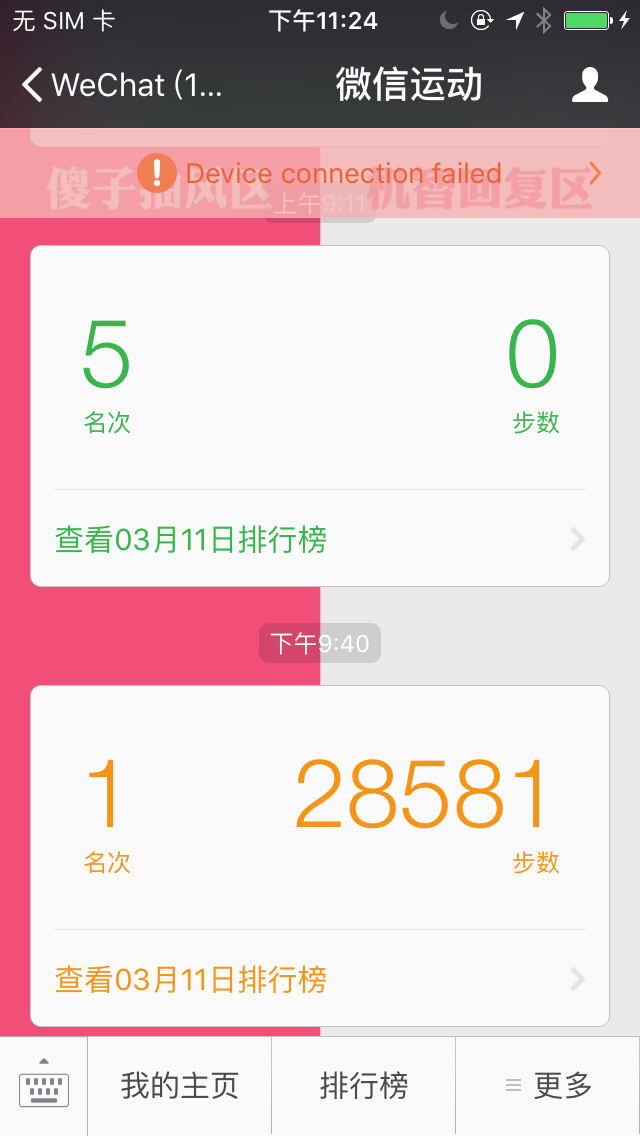
注意:微信中不知道为什么好像只能添加到这个数,并且在测试中发现手机上的健康App的数据会短暂性消失,重启后才恢复正常,微信步数恢复正常而QQ健康的步数保持修改后步数
![IMG_4909](media/14576725834921/IMG_4909.png
参考:
1. HealthKit Tutorial with Swift: Getting Started
2. HealthKit Framework Reference